Trip Solutions
5 min read

Kickstart 2025 with 4 new Wetu updates

By
Caitlin Spring
Published
27 February 2025

We’re kicking off 2025 with a bang! Our latest updates are designed to make Wetu more intuitive, flexible, and powerful. This release focuses on boosting usability and discoverability, ensuring that you get even more value from your subscription. Get ready to level up your Wetu experience.
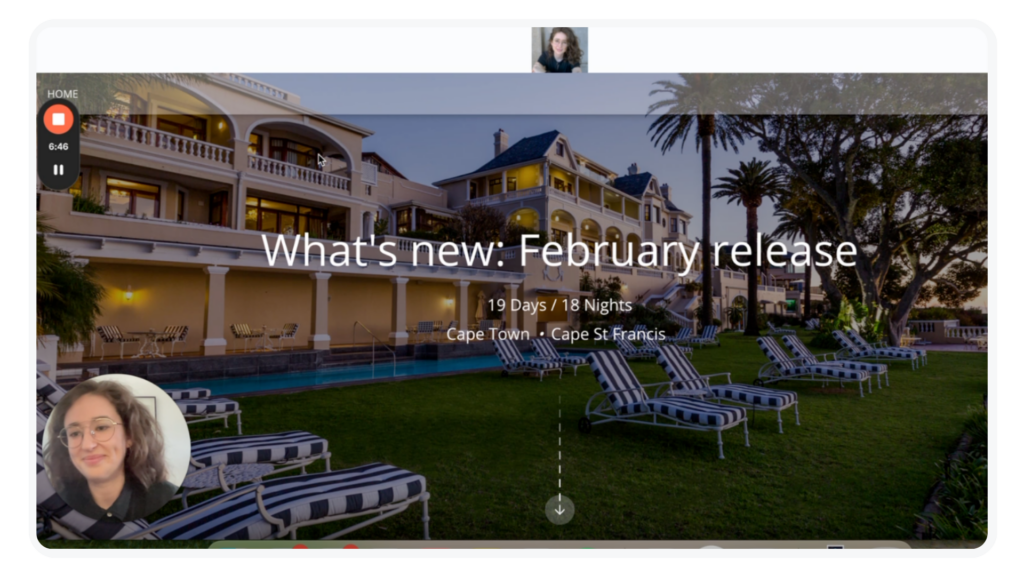
Screenshot from Loom recording of Wetu Product Manager Caitlin Spring going through the February product updates for the Wetu platform and Discovery Theme Customiser

Towards the end of last year, we released the Discovery Theme Customiser, which enables you to reorder and delete components of the Discovery itinerary. We know that one itinerary doesn’t suit all scenarios, and we want you to be able to curate what best serves you and your clients’ needs. The Discovery Theme Customiser also provides a fun foundation for us to add more components for you to choose from, and we have two exciting new components to share with you.
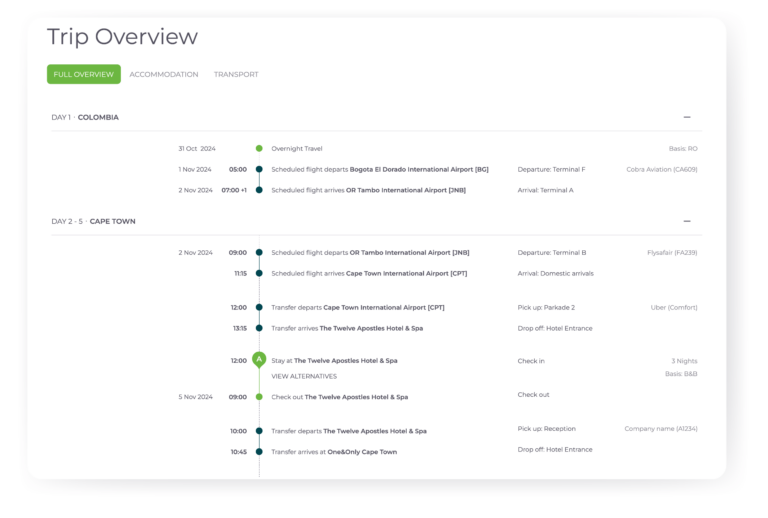
Wetu Platform screenshot of the new Trip Overview component of the Discovery Theme Customiser for itinerary outputs

Trip overview

This component is a sleek, chronological grid showcasing accommodation and transport details, giving travellers an at-a-glance snapshot of their entire journey. It’s clear, organised, and exactly what you need for a quick overview!
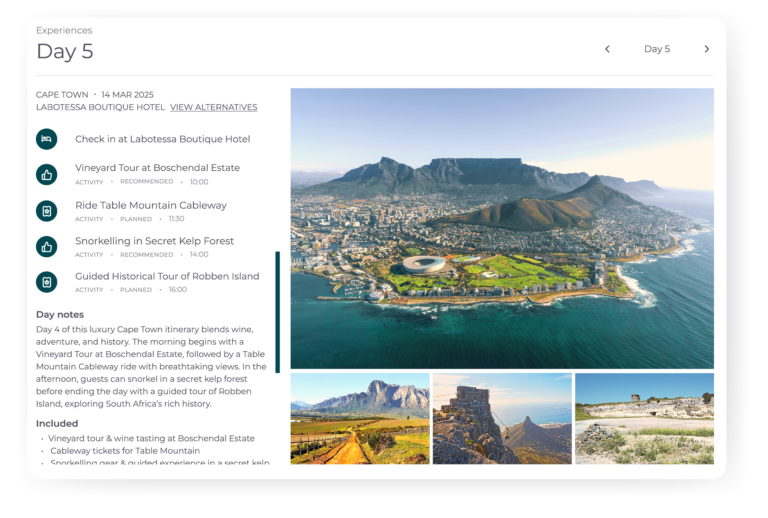
Wetu Platform screenshot of the new Day-by-Day component of the Wetu Discovery Theme Customiser for itinerary outputs
Day-by-day

Inspired by our Classic itinerary style, this component condenses your trip details into an interactive, user-friendly layout. Keep all the important details while ensuring your itinerary is engaging, easy to navigate, and more condensed.

We’ve also made a few small (but mighty) tweaks to streamline your workflow and make things a little more efficient.  
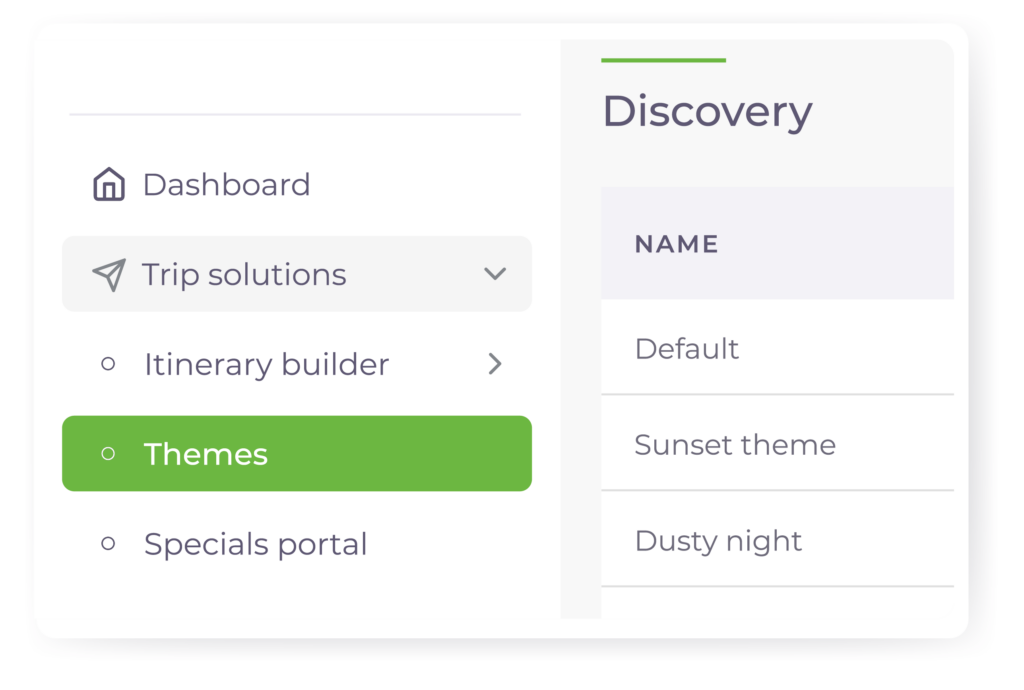
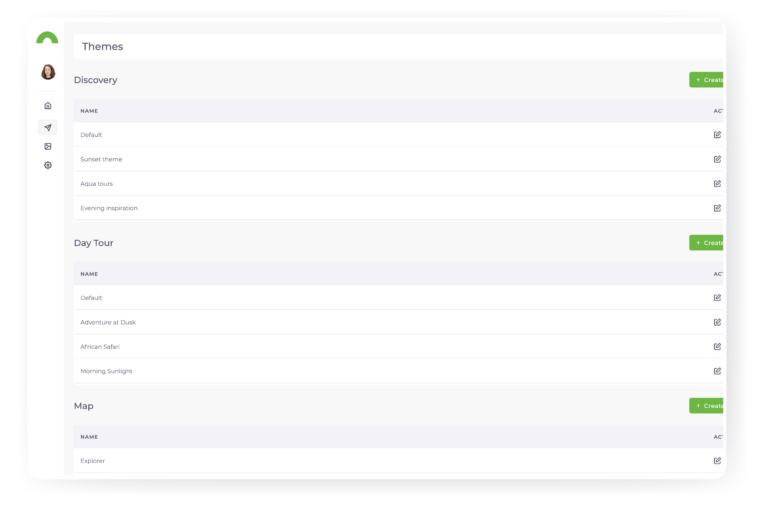
Wetu Platform screenshot of the Themes options in navigation bar
Find Themes in Trip Solutions

Themes are core to creating the best possible itinerary, and so we’ve moved it to Trip Solutions where it’s both easier to find, and where you already spend most of your time. Note, the same permissions apply, we’ve just moved things around.
Wetu platform screenshot showing the larger workspace with a collapsed navigation bar
Collapsed navigation bar

We heard you loud and clear! The navigation bar was taking up too much space, so now it’s collapsed by default. Enjoy a cleaner, more spacious workspace without sacrificing any functionality.

We’re on a mission to make Wetu more intuitive, efficient, and ultimately, more valuable to you. These updates are just the start – expect even more ways to maximise your experience with Wetu over the next few weeks.

Check out our quick video walkthrough, explore the new features, and if you have any questions, reach out to our support team at support@wetu.com

PS – Don’t forget to sign up to our Opt-in list to receive our latest product release announcements.

We’re kicking off 2025 with a bang! Our latest updates are designed to make Wetu more intuitive, flexible, and powerful. This release focuses on boosting usability and discoverability, ensuring that you get even more value from your subscription. Get ready to level up your Wetu experience.

Screenshot from Loom recording of Wetu Product Manager Caitlin Spring going through the February product updates for the Wetu platform and Discovery Theme Customiser

Towards the end of last year, we released the Discovery Theme Customiser, which enables you to reorder and delete components of the Discovery itinerary. We know that one itinerary doesn’t suit all scenarios, and we want you to be able to curate what best serves you and your clients’ needs. The Discovery Theme Customiser also provides a fun foundation for us to add more components for you to choose from, and we have two exciting new components to share with you.

Wetu Platform screenshot of the new Trip Overview component of the Discovery Theme Customiser for itinerary outputs
Trip overview

This component is a sleek, chronological grid showcasing accommodation and transport details, giving travellers an at-a-glance snapshot of their entire journey. It’s clear, organised, and exactly what you need for a quick overview!

Wetu Platform screenshot of the new Day-by-Day component of the Wetu Discovery Theme Customiser for itinerary outputs
Day-by-day

Inspired by our Classic itinerary style, this component condenses your trip details into an interactive, user-friendly layout. Keep all the important details while ensuring your itinerary is engaging, easy to navigate, and more condensed.

We’ve also made a few small (but mighty) tweaks to streamline your workflow and make things a little more efficient.  

Wetu Platform screenshot of the Themes options in navigation bar
Find Themes in Trip Solutions

Themes are core to creating the best possible itinerary, and so we’ve moved it to Trip Solutions where it’s both easier to find, and where you already spend most of your time. Note, the same permissions apply, we’ve just moved things around.

Wetu platform screenshot showing the larger workspace with a collapsed navigation bar
Collapsed navigation bar

We heard you loud and clear! The navigation bar was taking up too much space, so now it’s collapsed by default. Enjoy a cleaner, more spacious workspace without sacrificing any functionality.

We’re on a mission to make Wetu more intuitive, efficient, and ultimately, more valuable to you. These updates are just the start – expect even more ways to maximise your experience with Wetu over the next few weeks.

Check out our quick video walkthrough, explore the new features, and if you have any questions, reach out to our support team at support@wetu.com

PS – Don’t forget to sign up to our Opt-in list to receive our latest product release announcements.

Share this post
Trip Solutions
Caitlin Spring
Senior Product Manager
Blog

Keep the inspiration flowing

Explore related stories, tips, and updates to help you bring magic to your clients.
Embedded Form