Trip Solutions
2 min read

More branding power: customise & co-brand your Wetu itineraries

By
Caitlin Spring
Published
10 March 2025

We’re kicking off 2025 with a bang! Our latest updates are designed to make Wetu more intuitive, flexible, and powerful. This release focuses on boosting usability and discoverability, ensuring that you get even more value from your subscription. Get ready to level up your Wetu experience.
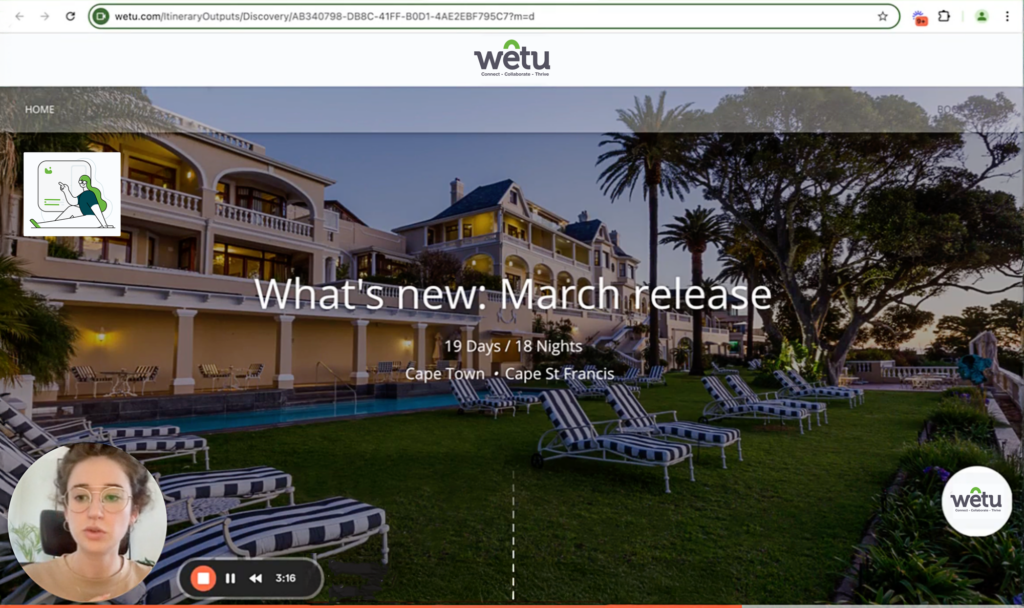
Enhanced co-branding options showcased in a Loom video, demonstrating flexible logo placement and customization for tailored brand representation.
Watch a full run down ☝️ and read below 👇

Enhanced Contact & Branding settings in the itinerary builder. Easily customize Appearance, Branding, and Contact details for a seamless, branded travel experience

New Contact & Branding settings

With the addition of Appearance & Branding and Contact & Enquiry blocks, you can now fine-tune your itineraries more easily than ever. Adjust your branding and contact details directly in the itinerary builder to match your unique needs.
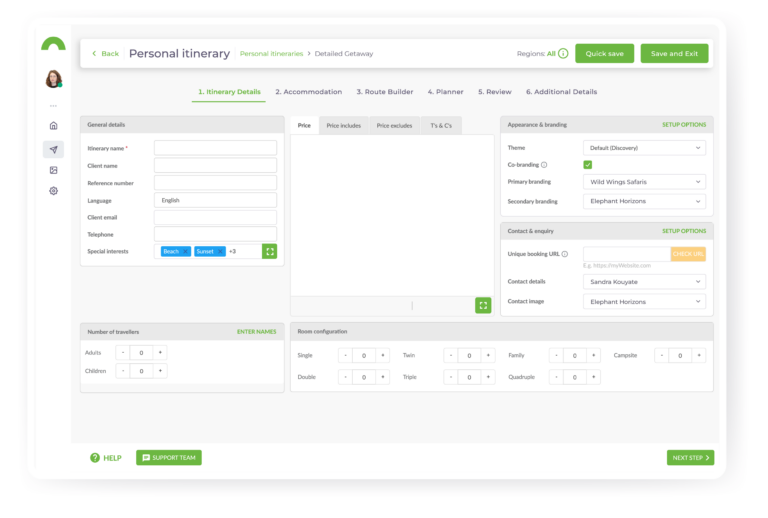
Updated Step 1 in the itinerary builder for a more intuitive workflow. Easily group related inputs, streamline setup, and access quick links to Branding, Themes, and Company details for seamless customization

A refreshed Step 1 in the itinerary builder

Step 1 of the itinerary builder has been reorganised for an even more intuitive experience. You’ll now see related inputs grouped together, making your setup quicker and easier. We’ve also added new buttons that provide quick access to your branding (Identities), Themes, and Company details, making it simpler to customise and manage your settings on the go.
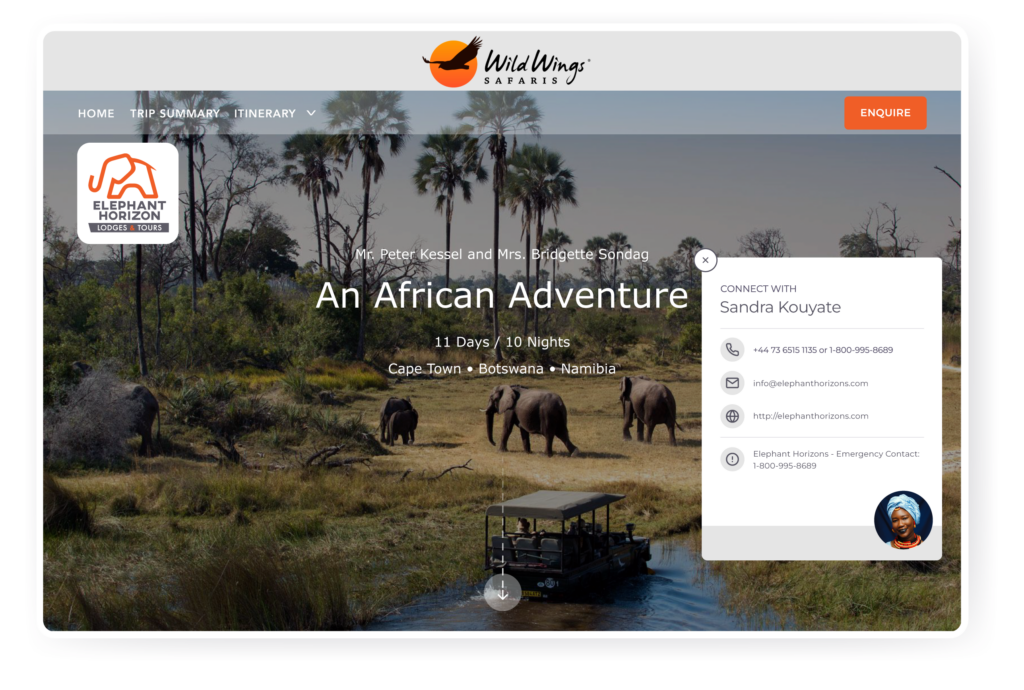
Enhanced co-branding options let you control logo placement, highlighting your brand and partners effectively. Customize itinerary branding for a professional, seamless presentation

Flexible co-branding  
We’ve introduced co-branding options that allow you to choose which logo takes centre stage. You can now showcase your brand and your partners in the best possible light, making it easier to customise the look of your itineraries.

We’re committed to making Wetu more intuitive and giving you the flexibility you need to ensure your business thrives.  

Watch the video, give the features a try, and if you need a little extra help, head over to our Knowledge Base for some in-depth walkthroughs or reach out to our support team at support@wetu.com

PS – Don’t forget to sign up to our opt-in list to receive our latest product release announcements.

We’re kicking off 2025 with a bang! Our latest updates are designed to make Wetu more intuitive, flexible, and powerful. This release focuses on boosting usability and discoverability, ensuring that you get even more value from your subscription. Get ready to level up your Wetu experience.

Enhanced co-branding options showcased in a Loom video, demonstrating flexible logo placement and customization for tailored brand representation.
Watch a full run down ☝️ and read below 👇
Enhanced Contact & Branding settings in the itinerary builder. Easily customize Appearance, Branding, and Contact details for a seamless, branded travel experience

New Contact & Branding settings

With the addition of Appearance & Branding and Contact & Enquiry blocks, you can now fine-tune your itineraries more easily than ever. Adjust your branding and contact details directly in the itinerary builder to match your unique needs.

Updated Step 1 in the itinerary builder for a more intuitive workflow. Easily group related inputs, streamline setup, and access quick links to Branding, Themes, and Company details for seamless customization

A refreshed Step 1 in the itinerary builder

Step 1 of the itinerary builder has been reorganised for an even more intuitive experience. You’ll now see related inputs grouped together, making your setup quicker and easier. We’ve also added new buttons that provide quick access to your branding (Identities), Themes, and Company details, making it simpler to customise and manage your settings on the go.

Enhanced co-branding options let you control logo placement, highlighting your brand and partners effectively. Customize itinerary branding for a professional, seamless presentation

Flexible co-branding  
We’ve introduced co-branding options that allow you to choose which logo takes centre stage. You can now showcase your brand and your partners in the best possible light, making it easier to customise the look of your itineraries.

We’re committed to making Wetu more intuitive and giving you the flexibility you need to ensure your business thrives.  

Watch the video, give the features a try, and if you need a little extra help, head over to our Knowledge Base for some in-depth walkthroughs or reach out to our support team at support@wetu.com

PS – Don’t forget to sign up to our opt-in list to receive our latest product release announcements.

Share this post
Trip Solutions
Caitlin Spring
Senior Product Manager
Blog

Keep the inspiration flowing

Explore related stories, tips, and updates to help you bring magic to your clients.
Embedded Form