Share this post
Trip Solutions
5 min read
Import flight details into itineraries faster and error-free with our PNR importer

By
Jessica Hirst
Published
18 September 2025
We’ve heard you. Manually typing flight details into itineraries has been… less than ideal. Slow, error-prone, and stressful. So we’ve built the PNR Importer.
Instead of copy-pasting flights from GDS emails or spreadsheets, you can now import them straight into Wetu with a single code.
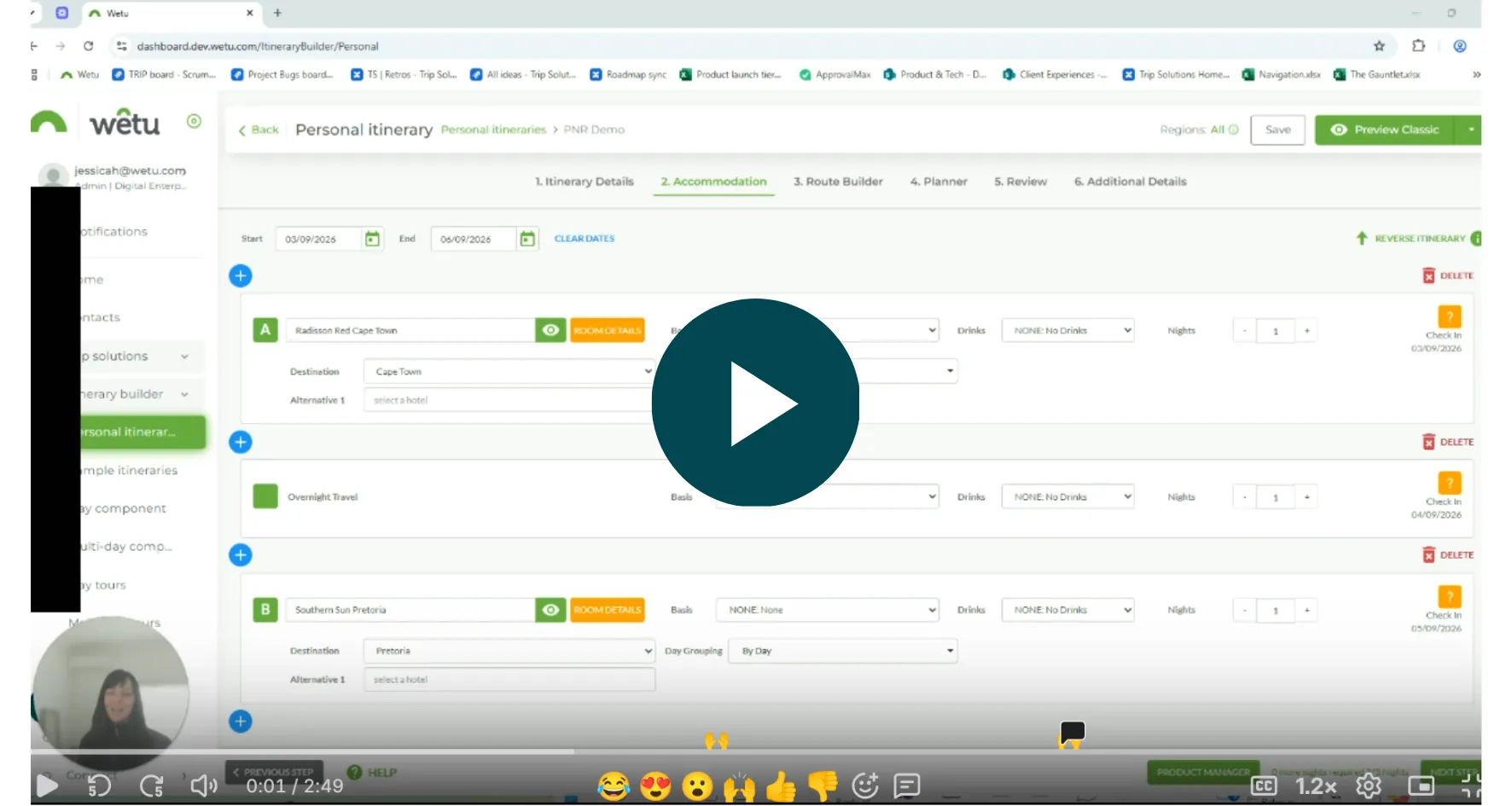
Watch a quick demo and read more below 👇
What is the PNR Importer?
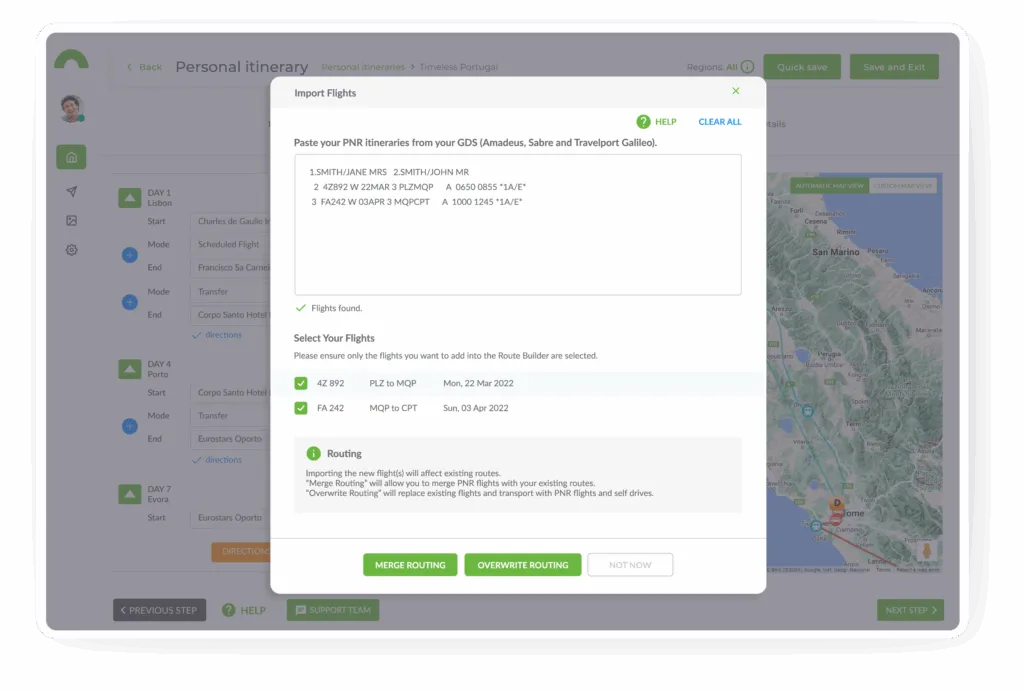
The PNR Decoder allows you to drop a Passenger Name Record (PNR) directly into Wetu and instantly preview and import the flight details into your itinerary. No more flipping between GDS emails, spreadsheets, and browser tabs.
It’s a tool built to save you time, reduce manual input, and help you deliver clean, accurate itineraries to your travellers.
What you can expect:
🖱️ Paste & preview: drop in a PNR code, view the flight data, and confirm before importing.
🧠 Smart mapping: flight legs and connections are automatically mapped to the correct places in your itinerary.
🚧 Conflict control: if there’s an overlap or duplicate flight, the Decoder offers clear options to merge, overwrite, or adjust.
📝 Flexible fields: There’s the option to include ticket class, airline reference, or check-in time.
🛡️ Error-proofing: built-in validation helps ensure your travellers see accurate, up-to-date information.
Designed for Operators, Travel Agents and DMCs
The PNR Decoder supports you by:
- Saving time on manual data entry
- Reducing the chance of human error
- Giving you confidence that travellers are seeing the correct flight details
- Keeping your itinerary-building process efficient and streamlined
This release is about making the workflow you already rely on a whole lot smoother so you can focus on delivering experiences, not spreadsheets.
As always, we’d love to hear how this fits into your day-to-day. Send us your feedback, or reach out at success@wetu.com if you have any questions.
PS – Make sure you’re on our product updates list to keep up with new improvements like this one.
Trip Solutions

Blog
Keep the inspiration flowing
Explore related stories, tips, and updates to help you bring magic to your clients.